A few months ago, I found myself switching between three different AI apps just to finish one day of work.
I started with ChatGPT to brainstorm article ideas, opened Google Gemini to summarize a long Google Docs document, and ended up using Claude to review a lengthy contract because it handled large files better.
That was the day I realized there isn’t a single “best” AI anymore.
Each assistant has its own strengths, weaknesses, and personality. If you’re trying to decide which one deserves a permanent spot on your phone or laptop in 2026, this guide will save you a lot of trial and error.
I’ve spent hundreds of hours using all three for writing, coding, research, studying, brainstorming, and everyday productivity. Some impressed me more than expected. Others frustrated me in situations where I assumed they’d perform perfectly.
Here’s what I learned.
Why Choosing the Right AI Actually Matters
When AI first became popular, almost every chatbot felt similar.
Now that’s no longer true.
Some are better writers.
Some are better researchers.
Some integrate deeply with Google services.
Others are surprisingly good at analyzing huge documents or writing clean code.
Picking the wrong one doesn’t just waste time—it changes how productive your day becomes.
Instead of asking:
“Which AI is smartest?”
A better question is:
“Which AI fits the way I work?”
That’s exactly what we’ll answer.
1. ChatGPT (OpenAI)
If someone asked me to recommend just one AI app to a beginner, I’d probably still start with ChatGPT.
Not because it’s perfect.
Because it feels the most balanced.
Whether I’m writing blog posts, planning projects, creating marketing content, learning a programming language, or organizing ideas, ChatGPT usually gives useful responses without much prompting.
One thing I’ve noticed after months of using it is that conversations feel natural.
I don’t have to constantly repeat context.
That alone saves a surprising amount of time.
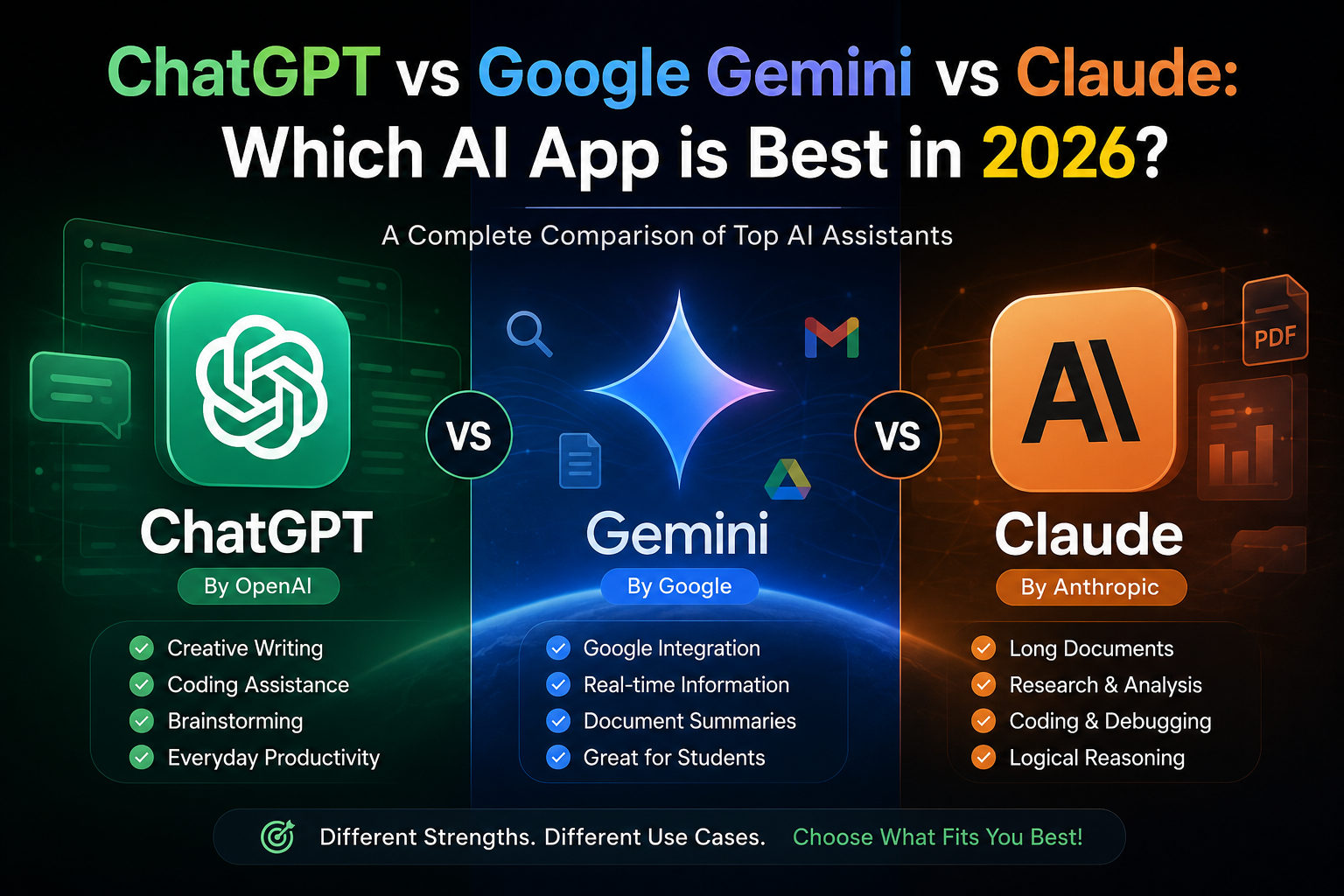
What ChatGPT Does Really Well
- Writing articles
- Brainstorming ideas
- Coding assistance
- Image generation
- Explaining difficult topics simply
- Marketing content
- Learning new skills
- Business planning
- Creative writing
The memory feature also makes long-term conversations much smoother because it can remember preferences (when enabled).
Where It Can Struggle
Sometimes it becomes overly cautious.
For highly technical research, I occasionally compare its answers with another source.
Very niche or newly released information may also require web search.
2. Google Gemini
Gemini feels like the assistant that lives inside Google’s ecosystem.
If your day revolves around Gmail, Google Docs, Google Sheets, Google Drive, Android, or Chrome, Gemini becomes incredibly convenient.
One afternoon I needed to summarize dozens of pages stored in Google Drive.
Instead of downloading everything manually, Gemini accessed the documents directly and created a clean summary in minutes.
That’s where it really shines.
Best Features
- Google Workspace integration
- Fast web-based information
- Great for students
- Strong document summaries
- Android integration
- Google Maps and Search compatibility
Things I Didn’t Like
Sometimes responses feel shorter than expected.
For creative writing, it occasionally sounds a little less natural compared to ChatGPT.
Prompt wording also matters more than I expected.
3. Claude
Claude surprised me the most.
At first I assumed it was simply another chatbot.
Then I started feeding it extremely long PDFs.
Research papers.
Business reports.
Documentation.
Entire books.
That’s when I understood why so many developers, researchers, and writers recommend it.
Claude stays surprisingly consistent across very large documents.
Instead of losing context halfway through, it usually understands the bigger picture.
Claude Is Excellent For
- Long documents
- Research
- PDF analysis
- Coding projects
- Careful editing
- Technical writing
- Logical reasoning
- Detailed explanations
Downsides
Claude isn’t as deeply integrated into everyday apps as Gemini.
Depending on your region or subscription, some features may also be more limited than competing platforms.
Real-Life Comparison
Let’s imagine three common situations.
Scenario 1: You’re a Student
You need to:
- summarize lecture notes
- understand difficult concepts
- create quizzes
- write assignments
- organize study schedules
My choice:
ChatGPT or Gemini.
Gemini integrates nicely with Google Docs, while ChatGPT often explains concepts in a more conversational way.
Scenario 2: You’re a Blogger or Content Creator
This is where I spend most of my time.
Writing blog posts.
Planning YouTube scripts.
Creating Facebook captions.
Generating SEO ideas.
Rewriting headlines.
Testing hooks.
For this workflow, ChatGPT remains my favorite because brainstorming feels effortless.
Claude comes very close, especially when editing long drafts.
Scenario 3: You’re a Programmer
This one depends on the project.
For learning code, debugging, and understanding algorithms, all three perform well.
But for reviewing large codebases or complex documentation, Claude impressed me more than expected.
ChatGPT remains excellent for explaining why code works instead of simply generating it.
Feature Comparison
| Feature | ChatGPT | Google Gemini | Claude |
|---|---|---|---|
| Writing | ⭐⭐⭐⭐⭐ | ⭐⭐⭐⭐ | ⭐⭐⭐⭐⭐ |
| Coding | ⭐⭐⭐⭐⭐ | ⭐⭐⭐⭐ | ⭐⭐⭐⭐⭐ |
| Research | ⭐⭐⭐⭐ | ⭐⭐⭐⭐⭐ | ⭐⭐⭐⭐⭐ |
| Long Documents | ⭐⭐⭐⭐ | ⭐⭐⭐⭐ | ⭐⭐⭐⭐⭐ |
| Google Apps | ⭐⭐⭐ | ⭐⭐⭐⭐⭐ | ⭐⭐⭐ |
| Creativity | ⭐⭐⭐⭐⭐ | ⭐⭐⭐⭐ | ⭐⭐⭐⭐ |
| Ease of Use | ⭐⭐⭐⭐⭐ | ⭐⭐⭐⭐ | ⭐⭐⭐⭐ |
Which One Gives the Most Natural Writing?
This question comes up constantly.
After writing hundreds of thousands of words with AI assistance, here’s my observation.
ChatGPT usually produces the most conversational first draft.
Claude often creates cleaner structure and thoughtful edits.
Gemini performs well but occasionally sounds more factual than conversational.
None of them should be used to publish content without human editing.
Adding personal experiences, examples, and your own opinions always makes an article stronger.
Common Mistakes People Make
Using Only One Prompt
Many users type a single sentence and expect perfect results.
The quality improves dramatically when you give context.
Instead of saying:
“Write an article.”
Try:
“Write for beginners who have never used AI before. Use short paragraphs and include practical examples.”
Blindly Trusting Every Answer
AI can still make mistakes.
Whenever facts matter—especially for legal, financial, or medical topics—verify information using reliable sources.
Think of AI as a smart assistant, not an unquestionable authority.
Ignoring Follow-Up Questions
One of the biggest productivity boosts comes from continuing the conversation.
Ask it to:
- simplify
- expand
- rewrite
- shorten
- provide examples
- compare options
The second or third response is often much better than the first.
My Daily Workflow
These days, I rarely rely on a single AI app.
Instead, I use each one where it performs best.
Step 1: Brainstorm ideas with ChatGPT.
Step 2: Use Gemini when I need information connected to Google services or quick summaries of files in Drive.
Step 3: Open Claude when reviewing long reports, large PDFs, or detailed technical documents.
This combination has reduced the time I spend researching and editing while helping me produce more polished work.
Should You Pay for Premium?
If you use AI only once or twice a week, the free versions are surprisingly capable.
But if you’re:
- writing content every day,
- studying regularly,
- building software,
- managing a business,
- or working with large documents,
a paid plan can be worthwhile because it typically provides access to more advanced models, higher usage limits, and additional features.
Choose the subscription based on the platform you’ll actually use most, rather than assuming every premium plan offers the same value.
Which AI Is Best in 2026?
After months of switching between all three, here’s my honest recommendation based on different needs:
Choose ChatGPT if you want an all-around AI assistant for writing, creativity, coding, learning, and everyday productivity.
Choose Google Gemini if most of your work happens inside Google’s ecosystem and you want seamless integration with services like Gmail, Docs, Drive, and Android.
Choose Claude if your work involves reading, analyzing, or editing long documents, research papers, technical reports, or large codebases.
The good news is that you don’t have to lock yourself into just one. Many professionals now use two or even all three, depending on the task. AI has reached a point where the “best” assistant depends less on benchmark scores and more on how well it fits your workflow.
Rather than chasing whichever model is trending this month, spend a week using each one for the tasks you do most often. You’ll quickly discover which assistant feels like a natural extension of your work—and that’s the one worth keeping open in your browser every day.